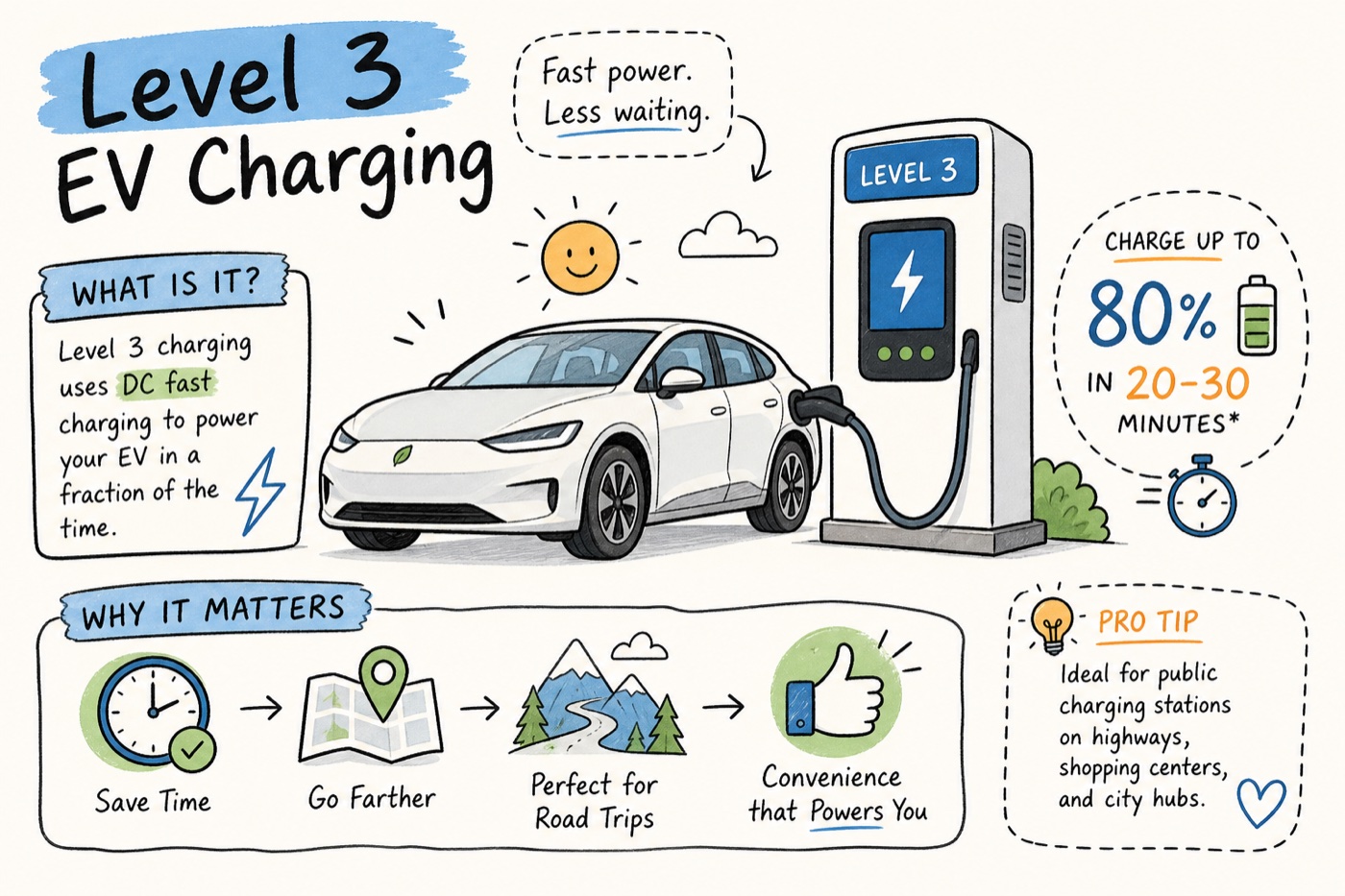
<?xml version="1.0" encoding="utf-8"?><feed xmlns="http://www.w3.org/2005/Atom" ><generator uri="https://jekyllrb.com/" version="3.10.0">Jekyll</generator><link href="https://wattsnear.com/feed.xml" rel="self" type="application/atom+xml" /><link href="https://wattsnear.com/" rel="alternate" type="text/html" /><updated>2026-05-13T22:20:49+00:00</updated><id>https://wattsnear.com/feed.xml</id><title type="html">WattsNear Blog</title><subtitle>EV charging tips, savings calculators, and route-planning guides from the team behind WattsNear.</subtitle><author><name>Andrew Porzio</name></author><entry><title type="html">What Is Level 3 EV Charging? A Complete Guide</title><link href="https://wattsnear.com/blog/what-is-level-3-ev-charging-a-complete-guide/" rel="alternate" type="text/html" title="What Is Level 3 EV Charging? A Complete Guide" /><published>2026-05-13T13:00:00+00:00</published><updated>2026-05-13T13:00:00+00:00</updated><id>https://wattsnear.com/blog/what-is-level-3-ev-charging-a-complete-guide</id><content type="html" xml:base="https://wattsnear.com/blog/what-is-level-3-ev-charging-a-complete-guide/"><![CDATA[<p><img src="/assets/blog/what-is-level-3-ev-charging-a-complete-guide.jpg" alt="What Is Level 3 EV Charging? A Complete Guide" /></p>

<p>Picture this: you’re 180 miles into a highway drive, battery sitting at 20%, and you’ve got about 30 minutes before you need to be back on the road. That’s the exact scenario DC fast charging was built for. One stop, a quick plug-in, and you’re back to 80% before your coffee gets cold.</p>

<p>For new EV owners, the charging level system is genuinely confusing. You pull up to a station, see “Level 2” or “DC Fast” on the sign, and have no frame of reference for what that actually means in practice. The naming convention doesn’t help: “Level 3” isn’t an official industry term — agencies and automakers typically use “DC fast charging” or “DCFC” — but the label is widely understood among drivers. This guide explains what DC fast charging actually does, which cars support it, and when it’s worth seeking out over Level 2. Drivers using apps like WattsNear are already filtering for DCFC stations by distance and price before they leave the driveway, and by the end of this article you’ll understand exactly why that matters.</p>

<h2 id="what-level-3-ev-charging-actually-is">What Level 3 EV charging actually is</h2>

<h3 id="it-delivers-dc-power-directly-to-the-battery">It delivers DC power directly to the battery</h3>

<p>Every EV battery runs on direct current (DC). The problem is that the power grid supplies alternating current (AC). With Level 1 and Level 2 charging, your car handles that conversion internally using what’s called an onboard charger. It takes the AC from the outlet, converts it to DC, and feeds it to the battery. That onboard charger is the bottleneck: most handle between 7 and 11 kilowatts, which puts a hard ceiling on how fast you can charge at home or at a destination charger.</p>

<p>Level 3 skips that step entirely. The charging station itself converts AC from the grid into DC before it ever reaches your car, then pushes that DC directly into the battery pack. Your onboard charger is bypassed. That single difference is why DC fast charging is so much faster than anything you can do at home.</p>

<h3 id="typical-power-output-and-what-it-means-in-real-time">Typical power output and what it means in real time</h3>

<p>DCFC equipment delivers between 50 kW and 350 kW depending on the unit. Think of kilowatts as the rate at which energy flows: a higher number means energy moves faster, so your battery fills up more quickly. A 150 kW fast charger can typically add 50 to 120 miles of range in about 20 to 30 minutes, depending on the vehicle’s efficiency and its maximum acceptance rate. A 350 kW ultra-fast charger, like those at Electrify America stations and newer Tesla Supercharger V4 locations, can push that even faster on vehicles designed to accept the power.</p>

<p>That last part matters. The actual charge speed during any session is governed by whichever is lower: the charger’s maximum output or the vehicle’s maximum acceptance rate. A 350 kW charger does nothing extra for a car that can only accept 150 kW. Always check your vehicle’s spec sheet for its maximum DC fast charge rate, not just the charger’s advertised power.</p>

<h2 id="how-dc-fast-charging-compares-to-level-1-and-level-2">How DC fast charging compares to Level 1 and Level 2</h2>

<h3 id="the-real-world-speed-difference">The real-world speed difference</h3>

<p>Level 1 uses a standard 120-volt household outlet. It adds roughly 3 to 5 miles of range per hour. Charge an EV overnight for 8 hours and you’ve gained maybe 40 miles. For everyday top-offs when you have 12 hours and a small daily commute, that’s workable. For a road trip, it’s essentially useless.</p>

<p>Level 2 uses a 240-volt circuit, the same voltage as a clothes dryer. It adds 20 to 40 miles per hour under typical conditions, making it the standard for home charging, hotel stays, and destination charging at shopping centers. A full charge from near-empty takes 4 to 10 hours depending on battery size and charger output. A 150 kW fast charger, by contrast, delivers well over 100 miles of range per hour for a compatible vehicle, and the top end of current hardware pushes that figure even higher. The difference between Level 2 and Level 3 on a road trip is the difference between an overnight stop and a coffee break.</p>

<h3 id="which-charging-level-actually-fits-your-situation">Which charging level actually fits your situation</h3>

<p>Most daily commuters never need Level 3. If you plug in at home every night, Level 2 handles the routine without any friction. Level 3 becomes the right tool on road trips, during emergency top-offs mid-route, or for drivers in apartments without home charging access who depend on fast public sessions to keep their car ready.</p>

<p>The honest framing: DC fast charging is a road trip tool, not a daily driver tool. Treating it like a gas station you visit every other day misses the point and, as you’ll see later, can have consequences for long-term battery health.</p>

<h2 id="which-vehicles-can-use-dc-fast-charging">Which vehicles can use DC fast charging</h2>

<h3 id="connector-compatibility-ccs-nacs-and-chademo-explained">Connector compatibility: CCS, NACS, and CHAdeMO explained</h3>

<p>Not every EV supports fast charging, and among those that do, the connector varies by manufacturer and model year. CCS (Combined Charging System) has been the dominant standard on non-Tesla vehicles for the past several years. Cars like the Hyundai Ioniq 6, Kia EV6, and Volkswagen ID.4 all use CCS1 and support DC fast charging up to 350 kW on the right hardware. NACS (North American Charging Standard), originally Tesla’s proprietary connector, is now being adopted across the industry. Ford, GM, Rivian, Volvo, and Polestar have all moved to native NACS on recent model years, and Tesla’s Supercharger network is now open to non-Tesla vehicles with the right adapter.</p>

<p>CHAdeMO, once the standard on older Nissan Leafs and some Mitsubishi models, is effectively being phased out in the US. Charging stations that still carry it are becoming less common, and no major automaker is launching new CHAdeMO-compatible vehicles. If your car uses CHAdeMO, check availability along your route carefully before any long drive.</p>

<h3 id="why-some-evs-still-cant-use-level-3">Why some EVs still can’t use Level 3</h3>

<p>Plug-in hybrid vehicles (PHEVs) and some entry-level or older battery-electric vehicles don’t include a DC fast charge port at all. Some low-cost trims and older BEV models omit DCFC capability entirely to reduce cost — check the spec sheet or owner’s manual for your specific trim. Look specifically for the phrase “DC fast charging” or “DCFC compatible.” General marketing materials won’t always make this clear.</p>

<h2 id="where-dc-fast-chargers-are-located">Where DC fast chargers are located</h2>

<h3 id="highway-corridors-and-the-logic-behind-placement">Highway corridors and the logic behind placement</h3>

<p>Fast charging infrastructure is placed where range anxiety is highest: along Interstate highway corridors, near freeway on-ramps, and in towns spaced roughly 50 to 150 miles apart on major travel routes. The federal NEVI program (National Electric Vehicle Infrastructure) has been funding buildout specifically to hit a target of fast chargers every 50 miles on designated corridors. Electrify America, Tesla Supercharger, EVgo, and ChargePoint operate the largest charging networks, with Electrify America stations designed specifically for the highway corridor use case at up to 350 kW per stall.</p>

<p>This placement logic mirrors how traditional gas stations work for road trips, not neighborhood convenience. You won’t find a dense cluster of 350 kW fast chargers in a residential suburb. The infrastructure is built to keep long-distance travel moving. Corridors like I-95, I-5, I-10, and I-80 now have reasonably consistent coverage, with 20 to 50 miles between stations on most segments.</p>

<h3 id="urban-and-suburban-fast-charger-availability">Urban and suburban fast charger availability</h3>

<p>Beyond highways, fast chargers are appearing at large retail centers, grocery stores, and transit hubs in high-EV-adoption metros like Los Angeles, Seattle, Austin, and Miami. These urban fast chargers serve drivers who need a quick charge between errands rather than a dedicated road trip stop. Coverage is still uneven nationally, and rural areas remain genuinely underserved in many regions. The density in major metros is growing fast, but if you live outside a high-adoption area, checking station availability before planning a longer drive is worth the two minutes it takes.</p>

<h2 id="when-to-seek-out-a-fast-charger-and-when-to-skip-it">When to seek out a fast charger, and when to skip it</h2>

<h3 id="road-trips-tight-schedules-and-emergency-top-offs">Road trips, tight schedules, and emergency top-offs</h3>

<p>The strongest case for DC fast charging is a long-distance trip where stopping time matters. A 20-minute fast charge during a rest stop keeps momentum without turning a drive into an all-day affair. It also makes sense for urban drivers without home charging who need a quick refill between shifts. One practical rule worth locking in: charge to 80%, not 100%, at fast chargers. Most EVs taper their charge rate significantly above 80% — a behavior built into the charge curve to protect the battery — which means the last 20% of a full charge can take as long as the first 80%. Getting to 80% and getting back on the road is almost always the efficient move.</p>

<h3 id="what-regular-fast-charging-does-to-battery-longevity">What regular fast charging does to battery longevity</h3>

<p>Frequent DC fast charging at high power generates more heat than Level 2 charging, and heat is the main driver of long-term battery degradation. Fleet data from operators like Recurrent Auto suggests the real-world impact is modest: roughly 0.1 to 3% extra capacity loss per year in the worst cases, and statistically negligible for drivers who use fast charging occasionally. Modern EVs include thermal management systems specifically to mitigate this, and occasional fast charging on trips is completely fine for a well-managed battery.</p>

<p>A common rule of thumb across owner manuals from automakers like Tesla and Hyundai: rely on Level 2 for 80% or more of your charging, and reserve DC fast charging for travel and emergencies. Charging fast a few times a month won’t hurt a modern battery. Charging fast every single day for five years is a different story. Use the right tool for the right job and your battery should last well over a decade without significant capacity loss.</p>

<h2 id="finding-the-fastest-and-most-affordable-level-3-stop-on-your-route">Finding the fastest and most affordable Level 3 stop on your route</h2>

<h3 id="why-not-all-fast-chargers-cost-the-same">Why not all fast chargers cost the same</h3>

<p>DC fast charging prices vary widely across networks, locations, and states. Some networks charge per kilowatt-hour, others per minute, and a handful of locations are still free. A 150 kW charger at Electrify America in California will likely cost more per session than a comparable stop at a regional network in Texas. Per-minute pricing models also disadvantage vehicles with lower acceptance rates, since a car charging at 75 kW on a per-minute rate costs the same as one charging at 150 kW. Without visibility into pricing before you arrive, it’s easy to pull into the most expensive station on the corridor simply because it’s the first one you see.</p>

<h3 id="filtering-and-sorting-stations-by-distance-and-price">Filtering and sorting stations by distance and price</h3>

<p><a href="https://wattsnear.com/">WattsNear</a> pulls live station data and lets you filter specifically for DC fast chargers, then sort results by distance or estimated price per kWh. Before leaving on a trip, you can scan the DCFC stops along your route, compare costs between charging networks, and save the best options to your Favorites for quick access on the road. The app also works hands-free via Apple CarPlay, so you’re not reaching for your phone mid-drive to find the next stop.</p>

<p>For drivers who make longer trips regularly or live without home charging access, having that kind of sorted, filtered view of nearby fast chargers is a genuine time and money saver. Pricing differences between networks can be substantial — sometimes tens of dollars per session depending on the network, state, and billing method — and those costs add up quickly over a year of road trips.</p>

<h2 id="the-bottom-line-on-level-3-charging">The bottom line on Level 3 charging</h2>

<p>Level 3 EV charging delivers DC power directly to the battery, bypassing the onboard charger and enabling charge speeds that compress what would take hours on Level 2 into under 30 minutes. It requires a compatible DC fast charge port and the right connector for your vehicle: NACS on most new models, CCS1 on older non-Tesla vehicles, and CHAdeMO on a shrinking list of legacy cars. Public DC fast chargers are concentrated along highway corridors and high-traffic urban sites — they’re designed to support travel, not replace home charging.</p>

<p>New EV owners don’t need to fear fast charging, but they don’t need to seek it out for every session either. Use Level 2 at home for the daily routine, and reach for DC fast charging when the road demands it. Your battery will hold capacity longer, and your charging costs will reflect the difference. Before your next long drive, take five minutes to check which Level 3 stations sit along your route and what each one costs. Knowing that in advance takes the guesswork out of the drive and the anxiety out of the range.</p>]]></content><author><name>Andrew Porzio</name></author><summary type="html"><![CDATA[]]></summary><media:thumbnail xmlns:media="http://search.yahoo.com/mrss/" url="https://wattsnear.com/assets/blog/what-is-level-3-ev-charging-a-complete-guide.jpg" /><media:content medium="image" url="https://wattsnear.com/assets/blog/what-is-level-3-ev-charging-a-complete-guide.jpg" xmlns:media="http://search.yahoo.com/mrss/" /></entry><entry><title type="html">Best CarPlay EV Apps: Charging, Routing, and Siri Control</title><link href="https://wattsnear.com/blog/best-carplay-ev-apps-charging-routing-and-siri-control/" rel="alternate" type="text/html" title="Best CarPlay EV Apps: Charging, Routing, and Siri Control" /><published>2026-05-12T19:00:00+00:00</published><updated>2026-05-12T19:00:00+00:00</updated><id>https://wattsnear.com/blog/best-carplay-ev-apps-charging-routing-and-siri-control</id><content type="html" xml:base="https://wattsnear.com/blog/best-carplay-ev-apps-charging-routing-and-siri-control/"><![CDATA[<p><img src="/assets/blog/best-carplay-ev-apps-charging-routing-and-siri-control.jpg" alt="Best CarPlay EV Apps: Charging, Routing, and Siri Control" /></p>

<p>You’re 20 miles from empty. You open your charging app. It loads a full phone interface crammed onto a 10-inch screen, no Siri support, no idea how many taps deep the nearest available charger actually is. Most EV apps were built for a couch, not for 70 mph with one eye on the road and both hands on the wheel. A real CarPlay EV app should surface the nearest working charger in one tap, not send you hunting through menus while merging.</p>

<p>This guide covers the CarPlay-compatible EV apps worth running on your dashboard. What each one does best, where it falls short, and how to stack them into a hands-free workflow before you even pull out of the driveway. One of those apps, WattsNear, is a charger-finding tool designed specifically for in-car use — start there, then fill the gaps with the right tools for routing and network-specific control.</p>

<h2 id="what-makes-a-real-carplay-ev-app-vs-a-phone-app-on-a-bigger-screen">What makes a real CarPlay EV app vs. a phone app on a bigger screen</h2>

<h3 id="the-difference-between-carplay-native-and-carplay-mirrored-apps">The difference between CarPlay-native and CarPlay-mirrored apps</h3>

<p>CarPlay-native apps are designed around Apple’s in-car interface framework: large touch targets, simplified tab navigation, no scrolling walls of text, and a visual hierarchy that works when your attention is split. CarPlay-mirrored apps just project your phone screen onto the dash display. Functional, technically, but not built for driving. The quickest way to spot the difference: if the dashboard layout matches exactly what you’d see opening the app on your couch, it’s mirrored. Many major charging apps still fall into this category as of 2026.</p>

<p>Before you install anything, check the App Store listing for explicit CarPlay support. An app that mentions “CarPlay” in its description is not the same as one that lists it as a supported feature. When in doubt, search the app name plus “CarPlay” in Apple’s CarPlay available apps directory.</p>

<h3 id="four-features-every-carplay-ev-app-should-have-when-your-hands-are-on-the-wheel">Four features every CarPlay EV app should have when your hands are on the wheel</h3>

<p>Use these criteria to evaluate any EV app before it earns a place on your dashboard. What you actually need is a simplified interface with no more than a handful of tabs and no nested menus, Siri shortcut support so you can trigger charger searches without touching anything, real-time charger status visible at a glance without digging through filters, and a one-tap navigate button that launches directions immediately from the charger card.</p>

<p>Any app that misses more than one of these is a phone app wearing a CarPlay badge. Keep that filter in mind as you read through the recommendations below.</p>

<h2 id="wattsnear-built-for-carplay-not-ported-to-it">WattsNear: built for CarPlay, not ported to it</h2>

<h3 id="four-tabs-zero-clutter-how-the-interface-works-at-70-mph">Four tabs, zero clutter: how the interface works at 70 mph</h3>

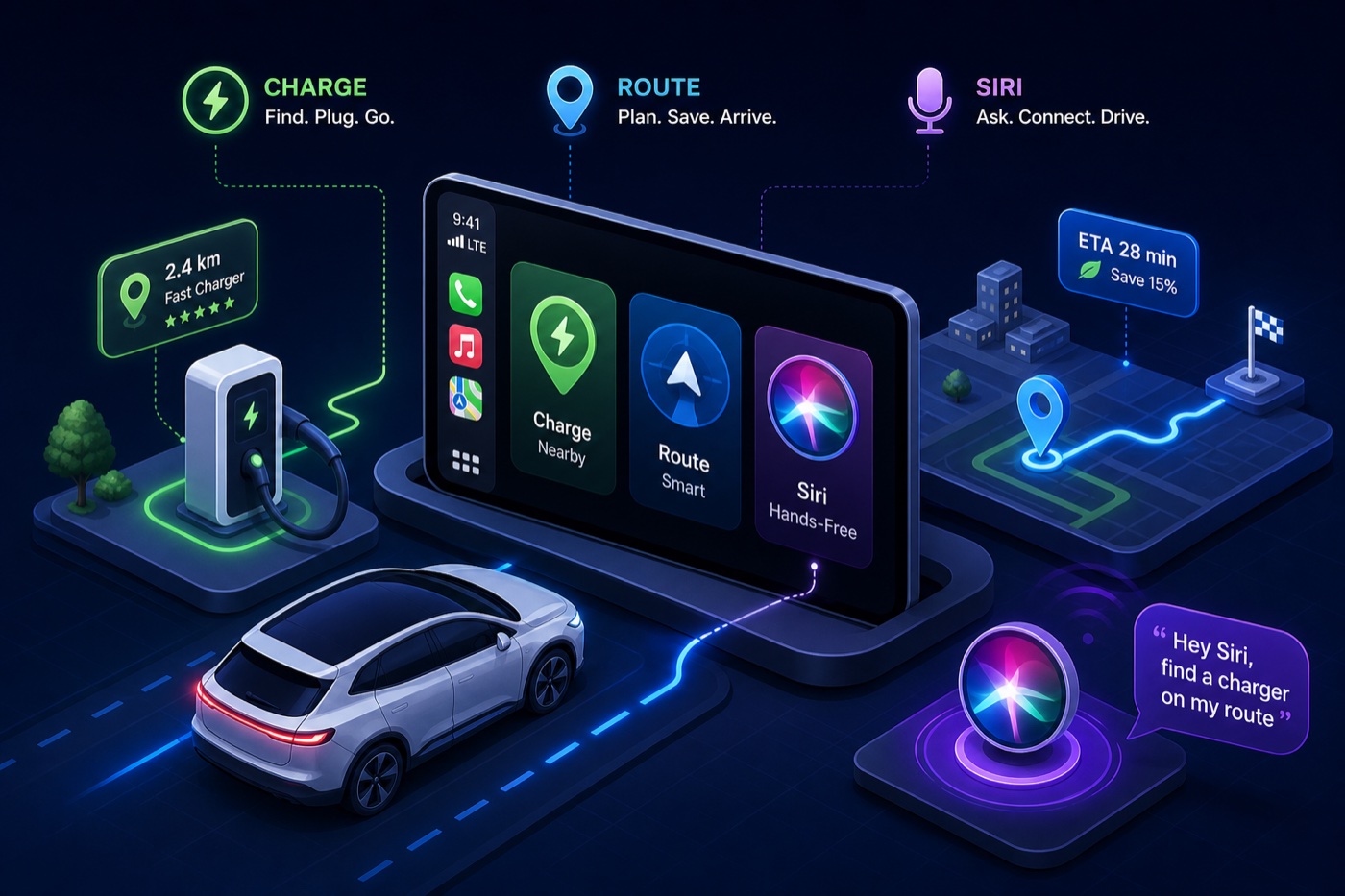
<p><a href="https://wattsnear.com/">WattsNear</a>’s CarPlay interface is built around four views — Nearest, Cheapest, Favorites, and Search — which map to exactly how drivers think mid-trip: how close, how cheap, have I been here before, or let me search a specific area. Those are the only things you actually need on the road. Each tab is designed to load quickly, with charger cards that surface distance, price per kWh, connector type, and a one-tap navigate button. The app requires no account to browse and keeps network promotion banners off the primary display.</p>

<p>Compare that to apps that bury station status behind a scroll or push you through a login wall before showing a single charger. <strong>The entire point of a dashboard app is to reduce decisions, not add them.</strong> WattsNear’s approach is to make the most common mid-drive questions answerable in a single tap.</p>

<h3 id="asking-siri-to-find-a-charger-without-touching-anything">Asking Siri to find a charger without touching anything</h3>

<p>WattsNear supports Siri Shortcuts, which means you can configure a voice command — something like “Hey Siri, find a cheap charger nearby” — that opens the relevant tab and surfaces results without touching the phone or the CarPlay screen. This is hands-free in the genuine sense, not just “Hey Siri, open the app” voice control that still leaves you tapping through menus. Setup runs through the iOS Shortcuts app and takes only a few minutes once you locate the app’s actions in the library.</p>

<h3 id="the-home-screen-widget-rounds-out-the-pre-drive-workflow">The home-screen widget rounds out the pre-drive workflow</h3>

<p>The WattsNear home-screen widget is most useful before CarPlay connects. Place it on the lock screen or the first row of your main home screen so it’s visible the moment you pull out your phone in a parking lot. It shows the nearest charger name, distance, and price with a direct tap to launch navigation — useful in covered garages or areas with spotty Bluetooth where CarPlay takes a few extra seconds to load and you want to confirm your next stop before driving up to street level.</p>

<h2 id="ev-navigation-apps-for-carplay-routing-and-charging-stop-planning">EV navigation apps for CarPlay: routing and charging stop planning</h2>

<h3 id="a-better-route-planner-the-long-trip-specialist">A Better Route Planner: the long-trip specialist</h3>

<p>For multi-stop road trips, A Better Route Planner (ABRP) is the strongest dedicated routing option available as a CarPlay EV app. It accounts for starting battery percentage, vehicle efficiency, traffic, weather, and elevation to calculate exactly where to stop and for how long. Owners running Porsche Taycan and Ford Mustang Mach-E builds have reported ABRP arrival estimates within a few percent of actual battery levels at charging stops, outperforming built-in navigation on range predictions, though individual results vary by driving style and conditions.</p>

<p>The trade-off is worth knowing upfront. ABRP requires manual state-of-charge entry because CarPlay apps currently can’t read vehicle battery data without manufacturer-level integration. Full CarPlay functionality also requires the premium subscription at roughly five dollars per month. That’s a reasonable ask for a dedicated long-distance planning tool, but it means ABRP is not a daily-driver app for routine stops. Use it for pre-planned interstate trips and unfamiliar corridors where margin of error matters.</p>

<h3 id="apple-maps-and-google-maps-ev-routing-native-but-narrow">Apple Maps and Google Maps EV routing: native but narrow</h3>

<p>Both Apple Maps (iOS 15 and later) and Google Maps support EV routing with automatic charging stop suggestions directly in CarPlay. Apple Maps integrates real-time battery data for a small list of vehicles — the Ford Mustang Mach-E, F-150 Lightning, and Porsche Taycan are among the confirmed models with native battery state integration as of 2026. If your car is on that list, the experience is seamless. If it isn’t, Apple Maps falls back to manual entry just like every other app.</p>

<p>Google Maps works more broadly across EV models but still requires manual setup for full routing features, and real-time availability data is more limited in the CarPlay version than in the phone app. <strong>Both are strong complements for turn-by-turn navigation, but neither replaces a dedicated charger-finding tool.</strong> They’re navigation apps that added EV features, not CarPlay charging station apps built from the ground up for in-car use.</p>

<h2 id="carplay-charging-station-apps-what-the-network-tools-actually-show-in-the-car">CarPlay charging station apps: what the network tools actually show in the car</h2>

<h3 id="chargepoint-and-plugshare-what-works-in-the-car-vs-what-stays-on-your-phone">ChargePoint and PlugShare: what works in the car vs. what stays on your phone</h3>

<p>ChargePoint has genuine CarPlay support: a map of nearby stations, real-time availability, session start and stop, and navigation without leaving the app. For drivers who charge primarily on the ChargePoint network, this is a clean in-car experience. The CarPlay interface lets you filter by connector type, see live occupancy, and initiate a session with a single tap after plugging in. It’s one of the few network apps that earns a slot on the dashboard.</p>

<p>PlugShare’s CarPlay support is more limited. Charger discovery is solid and the crowdsourced check-in data is often more accurate than official network feeds for flagging broken or blocked stations. Routing and session control, though, require the phone app. PlugShare is worth having for the reliability intelligence it provides on non-ChargePoint stations, but treat it as a supplemental research tool rather than a primary dashboard app.</p>

<h3 id="why-most-network-apps-break-down-in-the-car">Why most network apps break down in the car</h3>

<p>Electrify America, Blink, and EVgo don’t have confirmed native CarPlay interfaces as of mid-2026 — they either aren’t listed as CarPlay-compatible or project a phone UI too dense for safe driving use. The deeper problem is structural: network apps are built to serve their own stations, not to help you find the best available option across all networks. When you’re 15 miles from empty and need the nearest working Level 3 charger regardless of brand, a single-network app is the wrong tool.</p>

<p>WattsNear is designed to address exactly this gap — a network-agnostic EV app for CarPlay that pulls from the full NREL database maintained by the U.S. Department of Energy, putting every public station in the U.S. on the same map without app-switching based on which network you happen to be closest to.</p>

<h2 id="setting-up-siri-shortcuts-for-hands-free-charger-access">Setting up Siri shortcuts for hands-free charger access</h2>

<h3 id="creating-voice-commands-for-your-most-used-charger-searches">Creating voice commands for your most-used charger searches</h3>

<p>Open the Shortcuts app on your iPhone (pre-installed on iOS 16 and later), tap the plus button to create a new shortcut, and search for WattsNear in the action library. From there, assign actions for nearest charger, cheapest charger, or a saved favorite location. Give it a phrase you’d actually say naturally while driving — “Find a charger nearby” or “Cheapest charger” works better than something you’d have to remember word-for-word under pressure.</p>

<p>ABRP also supports Siri for destination input, so if you’re running both apps, you can trigger the route plan before leaving and activate charger search mid-drive without picking up the phone. Set both up once, test them in your driveway, and you’re done. The Shortcuts gallery in iOS 16 and later surfaces app-recommended actions automatically, which speeds up the initial setup.</p>

<h2 id="how-to-build-your-carplay-ev-app-stack-without-overcomplicating-it">How to build your CarPlay EV app stack without overcomplicating it</h2>

<h3 id="a-lean-two-app-setup-that-covers-most-charging-situations">A lean two-app setup that covers most charging situations</h3>

<p>The functional stack most drivers need is two apps: WattsNear for charger discovery, status checking, and price comparison during daily driving and unexpected stops, plus ABRP for planned long-distance routing where battery precision matters. These two cover the full range without redundancy. WattsNear handles the unplanned and the routine. ABRP handles the pre-planned and the long-haul.</p>

<p>For drivers who mostly charge at known locations, WattsNear’s Favorites tab — which syncs across Apple devices via iCloud — handles the repeat-visit case on its own. <strong>The goal is fewer decisions at speed, not a fuller dock.</strong></p>

<h3 id="which-carplay-ev-app-to-open-first-based-on-your-drive-type">Which CarPlay EV app to open first based on your drive type</h3>

<p>Daily commute or unplanned stop: trigger your WattsNear Siri shortcut or open the Nearest tab directly. Planned interstate trip: run the ABRP route before you leave, then use WattsNear as your backup and real-time reference on the road. Unfamiliar city: WattsNear Nearest tab, filter by your connector type, navigate to the closest available station. No app-switching anxiety, no digging through menus while merging.</p>

<ul>
  <li><strong>Daily / unplanned:</strong> WattsNear Nearest or Cheapest tab, or Siri shortcut</li>
  <li><strong>Long interstate trip:</strong> ABRP for pre-departure planning, WattsNear on-road backup</li>
  <li><strong>Unfamiliar city:</strong> WattsNear Nearest tab with connector type filter active</li>
</ul>

<h2 id="stop-building-a-complicated-stack-and-start-driving-with-a-simple-one">Stop building a complicated stack and start driving with a simple one</h2>

<p>Most EV apps were built for browsing, not driving. The CarPlay EV app stack worth installing is small: one natively built charger finder designed for the dashboard (WattsNear), one routing app for long-distance planning (ABRP), and a backup network app like ChargePoint if you rely on that network regularly. Three apps maximum, two for most drivers.</p>

<p>Set up the Siri shortcut and the WattsNear home-screen widget before your next drive, and you won’t need to reach for your phone to make charging decisions. That’s the actual goal: not more apps, but fewer decisions at 65 mph. The tech should disappear into the drive, not compete with it.</p>

<p><a href="https://wattsnear.com/">Download WattsNear on iPhone</a>, add it to CarPlay, and configure your Siri shortcut before you next hit the road. A few minutes of setup, and your charging workflow handles itself from there.</p>]]></content><author><name>Andrew Porzio</name></author><summary type="html"><![CDATA[]]></summary><media:thumbnail xmlns:media="http://search.yahoo.com/mrss/" url="https://wattsnear.com/assets/blog/best-carplay-ev-apps-charging-routing-and-siri-control.jpg" /><media:content medium="image" url="https://wattsnear.com/assets/blog/best-carplay-ev-apps-charging-routing-and-siri-control.jpg" xmlns:media="http://search.yahoo.com/mrss/" /></entry><entry><title type="html">Track Your Electric Car Charging Costs the Right Way</title><link href="https://wattsnear.com/blog/track-your-electric-car-charging-costs-the-right-way/" rel="alternate" type="text/html" title="Track Your Electric Car Charging Costs the Right Way" /><published>2026-05-12T18:00:00+00:00</published><updated>2026-05-12T18:00:00+00:00</updated><id>https://wattsnear.com/blog/track-your-electric-car-charging-costs-the-right-way</id><content type="html" xml:base="https://wattsnear.com/blog/track-your-electric-car-charging-costs-the-right-way/"><![CDATA[<p><img src="/assets/blog/track-your-electric-car-charging-costs-the-right-way.jpg" alt="Track Your Electric Car Charging Costs the Right Way" /></p>

<p>If you want to track your electric car charging costs accurately, you need more than a gut feeling about your monthly bill. EV drivers love talking about escaping the gas pump, the math feels obvious: no more $60 fill-ups, no more watching the price per gallon tick up on the way to work. But here’s the thing many people don’t want to admit: a surprising number of EV owners have no real idea what they actually pay per charge. The number flashes on a public charger screen and disappears. The home electric bill blends charging into a lump sum with the fridge and the air conditioner. The result is a monthly “feels cheaper” that almost nobody has actually verified.</p>

<p>This guide covers three concrete ways to track electric car charging costs, from a basic spreadsheet to app-based session logs, and shows you how to turn that raw data into decisions that actually save money. No subscription, no complicated setup, just a method that actually sticks.</p>

<h2 id="why-most-ev-drivers-have-no-idea-what-theyre-really-paying">Why most EV drivers have no idea what they’re really paying</h2>

<p>With a gas car, your cost is visible and contained. One transaction, one number, one place. With an EV, your charging costs are scattered across your home utility bill, receipts from three different public charging network apps, and whatever your car’s dashboard estimates. None of these sources talk to each other. So you end up with a fuzzy monthly feel instead of a real number.</p>

<p>The bigger issue is that many drivers mix home and public charging without tracking the split, and those two costs look nothing alike.</p>

<h3 id="the-public-vs-home-price-gap-that-catches-people-off-guard">The public-vs-home price gap that catches people off guard</h3>

<p>Home charging in the US averages around $0.17–$0.18 per kWh in 2026. Public DC fast chargers run $0.35–$0.48 per kWh on most networks, which is roughly 2–3× more. In states like Idaho, the public premium is closer to 3×. That gap has a real dollar impact: filling a 72 kWh battery at home costs about $13. The same charge at a DC fast charger costs $25–$35, plus potential session start fees (EVgo charges $2.99 for credit card starts) and idle fees (Electrify America charges $0.40 per minute after a 10-minute grace period).</p>

<p>Most drivers who split their charging between home and public are paying more than they think — they just haven’t done the math yet.</p>

<h3 id="the-mile-number-that-actually-tells-you-something-useful">The $/mile number that actually tells you something useful</h3>

<p>Cost per session is noisy. Cost per mile is the number that puts everything in context. The formula is simple: divide your vehicle’s kWh per 100 miles by 100, then multiply by your price per kWh. A Tesla Model 3 uses about 25 kWh per 100 miles. At home ($0.17/kWh), that’s about 4 cents per mile. At a public DC fast charger ($0.42/kWh), it jumps to 10–11 cents per mile. A Chevy Equinox EV at 27 kWh/100 mi works out similarly: roughly 4.3 cents per mile at home, 6.8 cents at a blended public rate.</p>

<p>For comparison: a 25 MPG gas car at $3.50 per gallon costs 14 cents per mile. Even drivers who rely heavily on public chargers are often paying meaningfully less than that, but you don’t actually know your number until you track it.</p>

<h2 id="how-to-track-electric-car-charging-costs-the-manual-log-method">How to track electric car charging costs: the manual log method</h2>

<p>A spreadsheet or even a notes app works better than most people expect. The habit matters more than the tool. Capture five specific data points after every charge and you’ll have everything you need to calculate both $/kWh and $/mile within a few weeks of starting.</p>

<h3 id="the-five-fields-every-charging-session-log-needs">The five fields every charging session log needs</h3>

<p>Keep it simple. Every session needs: date, location (station name or “home”), kWh added, total cost paid, and miles driven since the last charge. The kWh added tells you efficiency; the location field lets you spot which stations are consistently expensive; the cost paid is the ground truth that no estimate or display can replace. Miles driven since last charge gives you the raw material for $/mile math.</p>

<p>In Google Sheets or Excel, add two formula columns: cost divided by kWh for $/kWh per session, and cost divided by miles for $/mile. Flag sessions as “home” or “public” in a separate column. After a month, sort by cost per kWh and the expensive sessions surface immediately.</p>

<h3 id="how-to-calculate-kwh-and-mile-from-your-raw-numbers">How to calculate $/kWh and $/mile from your raw numbers</h3>

<p>Here’s a real example using two popular EVs. A Tesla Model Y session: 45 kWh added, $18.90 paid, 160 miles driven since the last charge. That’s $0.42/kWh and about 11.8 cents per mile — clearly a public DC fast session. A Chevy Equinox EV home session: 38 kWh added, $6.84 paid, 140 miles driven. That’s $0.18/kWh and 4.9 cents per mile. Two sessions, two completely different cost profiles. Separating home from public in the spreadsheet makes this split obvious at a glance.</p>

<h2 id="app-based-tracking-let-technology-do-the-logging">App-based tracking: let technology do the logging</h2>

<p>Not everyone wants to run a spreadsheet. Several apps already capture session data automatically. The catch is that most network apps only track sessions on their own chargers, which creates fragmented history for anyone who uses more than one network. For drivers juggling multiple networks, that fragmentation means you often can’t see your total electric car charging expenses in one place, though some third-party tools and network web dashboards do offer export options worth exploring.</p>

<h3 id="what-the-major-charging-network-apps-actually-log">What the major charging network apps actually log</h3>

<p>ChargePoint, EVgo, and Electrify America all store session history including kWh delivered, cost, and timestamps. ChargePoint has the most complete export option: log in at chargepoint.com, go to Reports, and download their reports export to get a CSV with your full session history. EVgo and Electrify America offer per-session receipts via the app and CSV exports through their web dashboards. The limitation is straightforward: if you charge at ChargePoint on Monday and Electrify America on Thursday, your history lives in two separate apps with two separate logins.</p>

<h3 id="wattsnears-session-log-one-place-no-account-required">WattsNear’s session log: one place, no account required</h3>

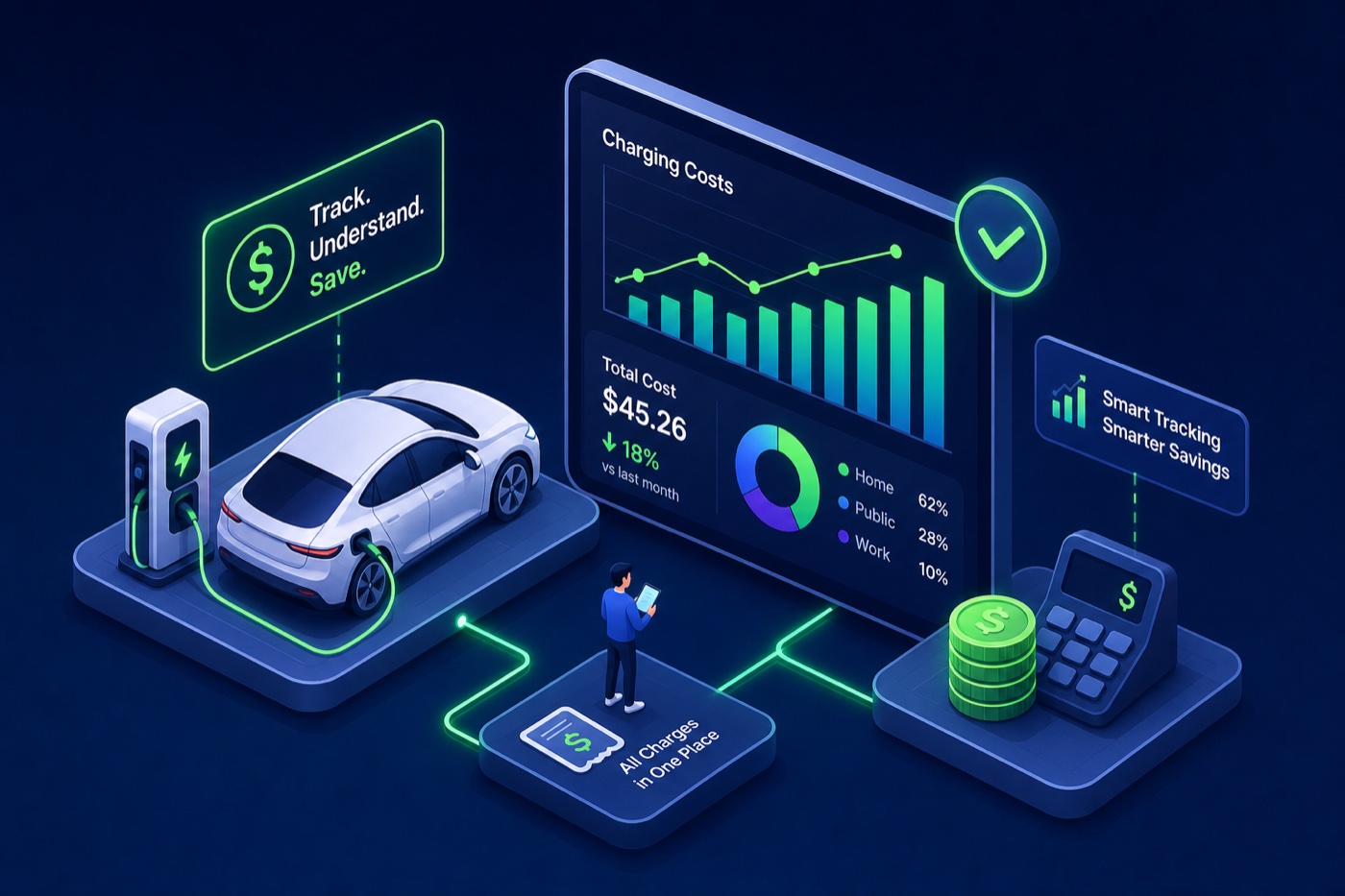
<p>This is where <a href="https://wattsnear.com/">WattsNear</a>’s built-in session log changes the workflow for iPhone users. Every time you charge, anywhere, you can log the session directly in the app: cost paid, kWh added, location. No account to create, no subscription to manage. The log syncs across Apple devices via iCloud. Unlike network apps that only capture sessions on their own chargers, this approach works for every charge regardless of the network — home Level 2, public Level 2, or DC fast.</p>

<p>For EV drivers who already use WattsNear to find and compare stations by price, the session log turns one app into a complete charging expense tracker. You find the station, you charge, you log it. Everything stays in one place, and because WattsNear shows you price per kWh before you plug in, you can compare what you expected to pay against what you actually paid.</p>

<h2 id="reading-your-data-to-cut-costs-not-just-collect-them">Reading your data to cut costs, not just collect them</h2>

<p>Tracking data is only valuable if you act on it. After a few weeks of consistent logging, some clear patterns usually surface: stations that cost more than their alternatives, home charging that isn’t happening during off-peak windows, and a home vs. public split that looks different than expected.</p>

<h3 id="how-to-spot-expensive-stations-hiding-in-your-history">How to spot expensive stations hiding in your history</h3>

<p>Sort your session log by cost per kWh. Sessions above $0.40/kWh — a reasonable threshold given that DC fast chargers commonly run $0.35–$0.48/kWh across major networks — are worth a closer look. If the same station shows up at $0.48/kWh repeatedly while a nearby competitor consistently runs $0.35/kWh, that’s a routing decision worth changing. Don’t just look at the per-kWh rate: add session start fees and idle fees to the real cost of each session. A $0.38/kWh rate plus a $2.99 credit card start fee on a short charge can push the effective rate well above $0.50/kWh. WattsNear’s location-stamped session log makes these comparisons concrete because you can see the station name next to the actual cost every time.</p>

<h3 id="time-of-use-rates-and-other-quick-wins-for-home-charging">Time-of-use rates and other quick wins for home charging</h3>

<p>Many US utilities offer off-peak TOU rate plans that can drop home charging costs significantly. PG&amp;E’s off-peak EV rate is the equivalent of roughly $2.92 per gallon of gas. PECO in Pennsylvania offers super off-peak rates as low as $0.053/kWh overnight. Reliant Energy in Texas runs “Truly Free Nights” where overnight charging costs nothing. These aren’t hypothetical, they’re available right now. Depending on your utility, switching to an off-peak plan can cut home charging costs by 20–60%, with some utilities like PECO reaching the higher end of that range.</p>

<p>But here’s where your session log earns its keep. If you’re logging home sessions with timestamps, you can check whether you’re actually charging in your off-peak window. Many drivers who “schedule overnight charging” discover, once they look at the data, that they’re still plugging in at 6 PM and starting a charge immediately. Shifting that start time by a few hours can meaningfully reduce your monthly charging bill depending on your utility and state — some drivers using steep TOU plans report saving $40–$100 a month once they nail the timing.</p>

<h2 id="home-vs-public-charging-separating-the-two-for-a-clearer-picture">Home vs. public charging: separating the two for a clearer picture</h2>

<p>Lumping all charging together is one of the most common tracking mistakes. Home and public charging have different prices, different frequencies, and different implications for tax purposes. Keeping them in separate categories from day one avoids painful retroactive sorting later.</p>

<h3 id="why-clean-categories-matter-for-tax-and-reimbursement-purposes">Why clean categories matter for tax and reimbursement purposes</h3>

<p>If you drive your EV for work, both home and public charging costs may qualify for reimbursement under an employer accountable plan, but only if you have per-session records with dates, locations, and kWh delivered. The IRS and most employers don’t accept estimated monthly totals. They want individual session records that tie to a specific business purpose. A simple “home / public / work” tag on each session in your log handles this without any extra effort. WattsNear’s location-stamped session log naturally captures the public vs. home distinction every time you log a charge.</p>

<h3 id="what-the-real-annual-numbers-look-like-for-different-driver-types">What the real annual numbers look like for different driver types</h3>

<p>Here’s a benchmark to test your own data against. A driver covering 13,500 miles per year in a mid-efficiency EV (roughly 25–28 kWh/100 mi), charging 80% at home ($0.17/kWh) and 20% at public DC fast chargers ($0.42/kWh), pays roughly $700–$900 per year in total charging costs. A driver doing the same mileage but relying primarily on public DC fast charging pays $1,500–$1,800. That’s a gap of $600–$1,000 per year, driven entirely by where and when they charge, not the car they drive. If your tracking data puts you in the second scenario, shifting more charging to home overnight sessions is the single highest-impact change you can make.</p>

<h2 id="start-tracking-with-your-next-session">Start tracking with your next session</h2>

<p>Keeping tabs on your electric car charging expenses doesn’t require a paid subscription or a complicated setup. A spreadsheet, a network app’s export function, or WattsNear’s built-in session log can all get you there. What matters is picking one method and staying consistent long enough for patterns to emerge. Two to four weeks of data is generally enough to identify your most expensive stations and get a read on whether your home charging window is actually falling in an off-peak period, though drivers charging less than once a day may want a slightly longer sample.</p>

<p>Once you can see what you genuinely pay per kWh and per mile, the decisions get easy. You stop guessing and start routing around expensive stations, shifting your charge times, and finally putting a real annual number next to what you’d spend on gas. The savings don’t require any new hardware or plan upgrades — they just require knowing what you’re actually spending.</p>

<p>Open your notes app or <a href="https://wattsnear.com/">download WattsNear</a> and log your next session. Start there.</p>]]></content><author><name>Andrew Porzio</name></author><summary type="html"><![CDATA[]]></summary><media:thumbnail xmlns:media="http://search.yahoo.com/mrss/" url="https://wattsnear.com/assets/blog/track-your-electric-car-charging-costs-the-right-way.jpg" /><media:content medium="image" url="https://wattsnear.com/assets/blog/track-your-electric-car-charging-costs-the-right-way.jpg" xmlns:media="http://search.yahoo.com/mrss/" /></entry><entry><title type="html">EV vs Gas Cost in 2026: What the Real Numbers Show</title><link href="https://wattsnear.com/blog/ev-vs-gas-cost-in-2026-what-the-real-numbers-show/" rel="alternate" type="text/html" title="EV vs Gas Cost in 2026: What the Real Numbers Show" /><published>2026-05-12T16:00:00+00:00</published><updated>2026-05-12T16:00:00+00:00</updated><id>https://wattsnear.com/blog/ev-vs-gas-cost-in-2026-what-the-real-numbers-show</id><content type="html" xml:base="https://wattsnear.com/blog/ev-vs-gas-cost-in-2026-what-the-real-numbers-show/"><![CDATA[<p><img src="/assets/blog/ev-vs-gas-cost-in-2026-what-the-real-numbers-show.jpg" alt="EV vs Gas Cost in 2026: What the Real Numbers Show" /></p>

<p>Everyone says EVs save you money. Few people actually show you the math. This ev vs gas cost comparison breaks down every cost category with real 2026 figures so you can see where the numbers land for your specific situation, not some national average that may have nothing to do with how you drive. The savings are real for most drivers, but the size of the gap depends on where you live, how you charge, and what kind of driving you do. Your numbers do the deciding.</p>

<p>If you want to skip the spreadsheet work entirely, WattsNear’s built-in cost calculator lets you plug in your mileage, local electricity rate, and current MPG to get a personalized annual savings estimate in under a minute. The goal here is clarity, not cheerleading.</p>

<h2 id="ev-vs-gas-cost-comparison-what-it-actually-costs-to-drive-electric-in-2026">EV vs gas cost comparison: what it actually costs to drive electric in 2026</h2>

<p>The cost per mile for electricity is the foundation of the entire comparison. Most people know electricity is cheaper than gas in theory. The actual number swings more than people expect depending on how and where you charge.</p>

<h3 id="home-charging-is-where-the-real-savings-live">Home charging is where the real savings live</h3>

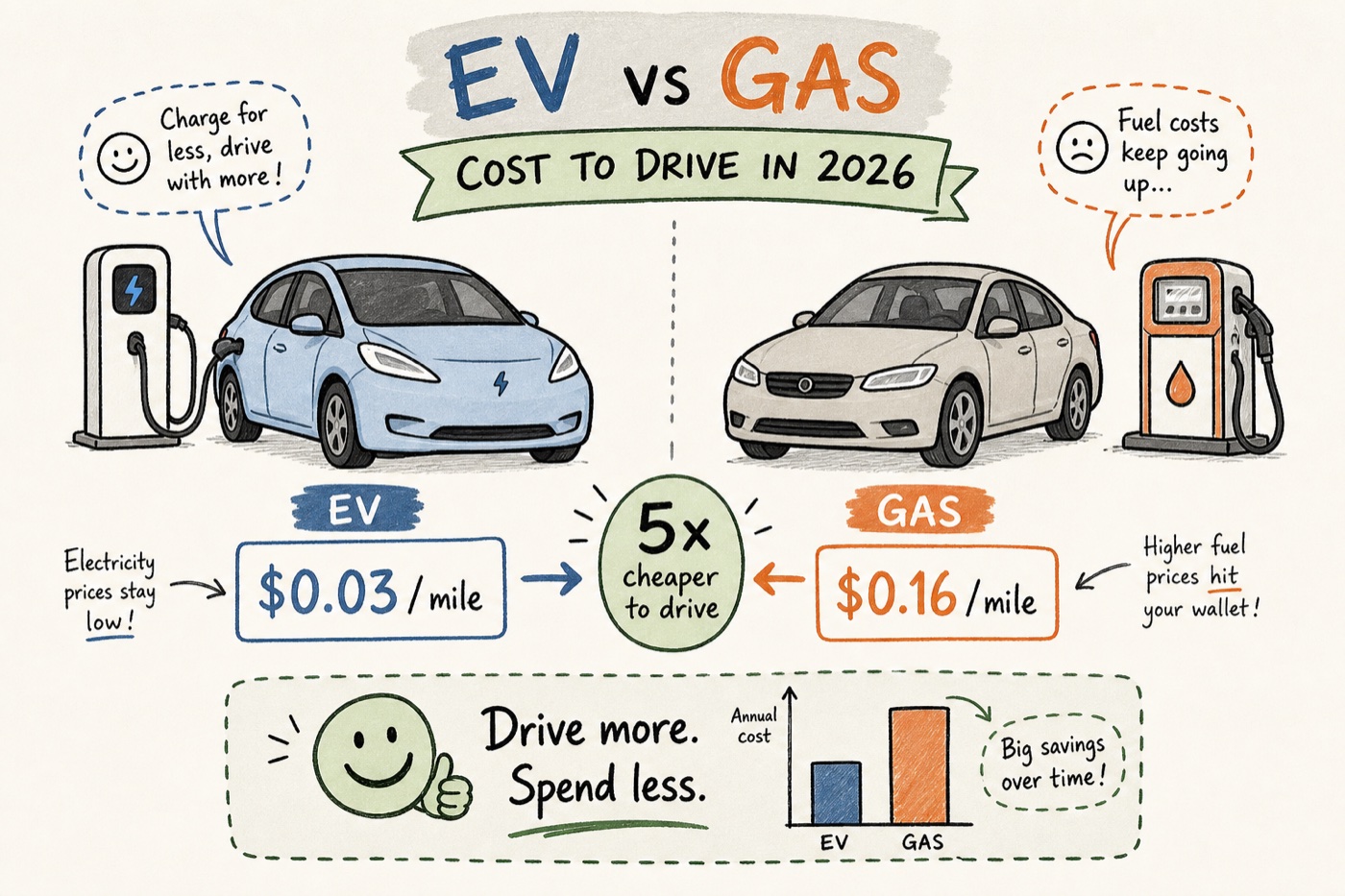
<p>The national average residential electricity price sits at 17.65 cents per kWh as of May 2026, up 7.4% year over year (U.S. Energy Information Administration). At that rate, a typical mid-size EV consuming around 28 to 30 kWh per 100 miles costs roughly <strong>$0.04 to $0.06 per mile</strong> on a Level 2 home charger, once efficiency losses are factored in. That’s the number that matters most, because roughly 86% of EV charging happens at home. For drivers in low-rate states like Idaho (12.63 cents/kWh) or North Dakota (11.64 cents/kWh), the EV cost per mile can drop as low as $0.03 at off-peak rates.</p>

<p>The math is straightforward. At $0.05 per mile and 13,500 miles per year, close to the U.S. average based on FHWA data, annual charging costs come out to around $675. That number alone starts to tell the story.</p>

<h3 id="public-charging-costs-more-sometimes-a-lot-more">Public charging costs more, sometimes a lot more</h3>

<p>Public Level 2 stations average $0.07 to $0.10 per mile once session fees and network markups are factored in. DC fast charging pushes that to $0.13 to $0.20 per mile at peak rates — at the high end of DCFC pricing, you’re approaching what gas costs per mile. Drivers who rely heavily on fast charging for daily use will see their fuel savings shrink fast. This is why your actual charging mix matters far more than any single headline figure. If 80% of your charging is at home and 20% is a mix of Level 2 and occasional DCFC, your blended cost per mile stays well below $0.08.</p>

<h2 id="the-gas-side-what-youre-actually-paying-per-mile-in-2026">The gas side: what you’re actually paying per mile in 2026</h2>

<p>Gas prices have climbed sharply this spring. According to AAA’s weekly pump price report (May 12, 2026), the national average for regular gasoline is <strong>$4.50 per gallon</strong>, up about 40% compared to May 2025. That changes the fuel cost math meaningfully compared to a year ago.</p>

<h3 id="what-average-mpg-actually-looks-like-at-the-pump">What average MPG actually looks like at the pump</h3>

<p>A mid-size sedan averaging 28 to 30 MPG in real-world driving costs around $0.15 per mile in fuel at $4.50 per gallon. A mid-size SUV or truck getting 20 MPG lands at $0.225 per mile. Compare either figure to EV home-charging costs of $0.04 to $0.06 per mile and the gap is not subtle. At 13,500 miles per year, the difference between a 28 MPG gas sedan and an EV charged primarily at home works out to roughly $1,300 to $1,500 annually in fuel costs alone. That gap compounds every year you own the vehicle.</p>

<h3 id="mpge-and-why-it-matters-for-an-apples-to-apples-comparison">MPGe and why it matters for an apples-to-apples comparison</h3>

<p>MPGe is the EPA’s efficiency metric for EVs expressed in gas-equivalent terms. A vehicle rated at 120 MPGe travels 120 miles on the same energy content as one gallon of gasoline. Translated to per-mile cost, even public Level 2 charging beats most gas vehicles at current pump prices. The only scenario where gas approaches competitiveness is when EV drivers rely exclusively on DC fast charging at peak rates, which is not how most people drive.</p>

<h2 id="maintenance-savings-that-most-buyers-underestimate">Maintenance savings that most buyers underestimate</h2>

<p>Fuel savings get the headlines. Maintenance is often the second-biggest financial advantage of EV ownership. Most buyers never see it itemized before they purchase.</p>

<h3 id="what-evs-eliminate-entirely-and-what-stays">What EVs eliminate entirely (and what stays)</h3>

<p>EVs have no oil changes, no spark plugs, no transmission service, and significantly reduced brake wear due to regenerative braking. Annual routine maintenance for a mainstream EV runs $100 to $400, compared to $350 to $700 for a comparable gas car, per Consumer Reports data. Scale that over five years and you’re looking at roughly $2,000 to $2,800 total for EVs versus $4,400 to $5,000 for gas vehicles. That’s <strong>$400 to $800 per year in maintenance savings</strong> that never shows up on a fuel cost calculator but absolutely affects your total spend.</p>

<h3 id="the-tire-cost-reality-no-one-talks-about">The tire cost reality no one talks about</h3>

<p>EV tires are a genuine cost that surprises a lot of new owners. Heavier battery packs and instant torque accelerate wear, and EV-specific tires run $160 to $380 per tire for mainstream models, with replacement intervals of roughly 20,000 to 45,000 miles depending on the tire. Budget an extra $150 to $300 per year compared to a gas car. Brands like Goodyear ElectricDrive 2 and Bridgestone Turanza EV run $200 to $260 per tire with 45,000 to 50,000 mile warranties, the more economical end of the spectrum. The tire cost closes the maintenance advantage a bit, but it doesn’t erase it.</p>

<h2 id="up-front-price-and-whats-left-of-the-incentives">Up-front price and what’s left of the incentives</h2>

<p>The 2026 incentive landscape has shifted more than most people realize. Per IRS guidance, the federal EV purchase tax credit expired on September 30, 2025, which directly changes the up-front math for anyone buying this year.</p>

<h3 id="how-federal-credit-expiration-changes-the-sticker-price-reality">How federal credit expiration changes the sticker price reality</h3>

<p>Without the $7,500 federal credit, EVs carry a more visible premium than they did even a year ago. According to Kelley Blue Book transaction data from early 2026, average transaction prices sit around $54,500 for EVs versus $48,700 for comparable gas vehicles, a gap of roughly $5,800. That said, the gap is narrowing at the lower end of the market. The Chevy Equinox EV and its gas counterpart are both available around $27,000 at the transaction level in some markets, where parity is effectively real. <strong>The purchase premium varies significantly by segment</strong>, so the average figure masks a lot of variation.</p>

<h3 id="state-rebates-and-programs-that-still-move-the-needle">State rebates and programs that still move the needle</h3>

<p>Several states have stepped up with programs that partially replace the expired federal credit. California’s Clean Vehicle Rebate Project still offers up to $7,500 for eligible buyers. Colorado’s Vehicle Exchange Colorado program provides up to $6,000 for income-eligible buyers trading in a gas vehicle. Illinois offers $4,000 rebates on a first-come basis. The federal 30C home charger tax credit, which covers 30% of installation costs up to $1,000 per IRS guidance, remains active for chargers placed in service by June 30, 2026. Stack the right combination of state and federal programs and the purchase premium can effectively disappear, particularly in high-incentive states.</p>

<h2 id="ev-vs-gas-cost-comparison-running-real-5-year-numbers-for-2026">EV vs gas cost comparison: running real 5-year numbers for 2026</h2>

<p>This is where the individual variables combine into an actual answer. Rather than showing abstract ranges, here’s a concrete scenario using a driver doing 13,500 miles per year who charges primarily at home.</p>

<h3 id="a-side-by-side-for-a-mainstream-ev-versus-a-comparable-gas-sedan">A side-by-side for a mainstream EV versus a comparable gas sedan</h3>

<p>Take a mid-size EV (28 kWh/100 miles, $54,500 purchase) against a gas sedan (30 MPG, $48,700 purchase) at 13,500 miles per year with gas at $4.50 per gallon. Annual fuel cost for the EV: roughly $675 at the national average electricity rate. Annual fuel cost for the gas car: roughly $2,025. That’s a <strong>$1,350 annual fuel advantage</strong> for the EV. Add $400 to $800 in annual maintenance savings and the operational advantage reaches $1,750 to $2,150 per year. Over five years, the total cost of ownership favors the EV by $8,750 to $10,750 in operational savings against a $5,800 purchase premium, without any incentives applied. In scenarios where buyers combine state rebates with the remaining charger credit, breakeven can arrive by year three; without incentives, most drivers reach it before year four.</p>

<ul>
  <li>Annual fuel savings vs. 30 MPG gas sedan at $4.50/gal: $1,350</li>
  <li>Annual maintenance savings (net of tire costs): $400–$800</li>
  <li>5-year operational savings: $8,750–$10,750</li>
  <li>Purchase premium without federal credit: ~$5,800</li>
  <li>Estimated breakeven: year 3 to 4 depending on state incentives</li>
</ul>

<h3 id="the-variables-that-actually-swing-the-result">The variables that actually swing the result</h3>

<p>Three factors matter more than anything else in this electric vs gas cost comparison: your home electricity rate, your annual mileage, and how much of your charging happens at home versus DC fast charging. High-mileage drivers in low-electricity states like Texas (15.41 cents/kWh) or Idaho (12.63 cents/kWh) see the fastest payback and the widest long-term advantage. Low-mileage drivers in California (30.72 cents/kWh) or Hawaii (43 cents/kWh) face a longer runway to break even, especially if they rely on public charging. The math is not the same for everyone, which is exactly the point.</p>

<p><a href="https://wattsnear.com/">WattsNear’s EV vs. gas cost calculator</a> is built for this. Enter your local electricity rate, your estimated annual miles, and your gas car’s MPG, and it returns a personalized annual savings figure without any spreadsheet work. It’s one of the features built directly into the app alongside the station finder, because knowing what charging costs is just as useful as knowing where to charge.</p>

<h2 id="the-numbers-favor-evs-but-your-numbers-are-what-matter">The numbers favor EVs, but your numbers are what matter</h2>

<p>This ev vs gas cost comparison shows that EVs come out ahead for most U.S. drivers in 2026, and with gas at $4.50 per gallon, the gap has widened compared to recent years. The average driver charging mostly at home and covering 13,500 miles per year will likely save $8,000 to $11,000 over five years on fuel and maintenance combined, more than covering the current purchase premium even without federal incentives.</p>

<p>The variables to nail down for your own situation are your local electricity rate, how often you’ll use DC fast charging, and what state rebates apply where you live. National averages give you a direction. Your actual numbers give you a decision. Run the calculation with your real figures and the answer is usually better than expected.</p>

<p>If you want a fast read on your annual savings without building a spreadsheet, WattsNear handles the math in under a minute. When you’re on the road and need the nearest charger at the best rate, the app covers that too.</p>]]></content><author><name>Andrew Porzio</name></author><summary type="html"><![CDATA[]]></summary><media:thumbnail xmlns:media="http://search.yahoo.com/mrss/" url="https://wattsnear.com/assets/blog/ev-vs-gas-cost-in-2026-what-the-real-numbers-show.jpg" /><media:content medium="image" url="https://wattsnear.com/assets/blog/ev-vs-gas-cost-in-2026-what-the-real-numbers-show.jpg" xmlns:media="http://search.yahoo.com/mrss/" /></entry><entry><title type="html">Free Electric Car Charging: Where to Find It in 2026</title><link href="https://wattsnear.com/blog/free-electric-car-charging-where-to-find-it-in-2026/" rel="alternate" type="text/html" title="Free Electric Car Charging: Where to Find It in 2026" /><published>2026-05-12T12:00:00+00:00</published><updated>2026-05-12T12:00:00+00:00</updated><id>https://wattsnear.com/blog/free-electric-car-charging-where-to-find-it-in-2026</id><content type="html" xml:base="https://wattsnear.com/blog/free-electric-car-charging-where-to-find-it-in-2026/"><![CDATA[<p><img src="/assets/blog/free-electric-car-charging-where-to-find-it-in-2026.jpg" alt="Free Electric Car Charging: Where to Find It in 2026" /></p>

<p>Free electric car charging is more common than most EV drivers realize, but it doesn’t live where people expect it. There’s no national policy, no standard perk that comes with every charger. It shows up in parking lots, hotel garages, employer campuses, and the occasional retail store, and most drivers walk right past it because they don’t know what to look for. Prevalence also varies by region: urban corridors and states with strong utility programs tend to have far more options than rural areas, and the numbers look different depending on whether you’re counting locations or individual ports.</p>

<p>The tools have caught up, though. <strong>WattsNear</strong> lets you filter specifically for stations that cost nothing, pulling live data from the U.S. Department of Energy’s NREL Alternative Fueling Station database without needing an account or a subscription. That changes how accessible this actually is. Once you know which categories to target and what strings are attached, free electric car charging stops being a nice surprise and starts being a regular part of your routine.</p>

<p>This article covers exactly that: where complimentary charging actually shows up, what limits come with it, which tools surface it fastest, and how to use it without annoying everyone else at the charger.</p>

<h2 id="where-free-public-chargers-actually-show-up">Where free public chargers actually show up</h2>

<p>Most no-cost public charging lives at Level 2 stations inside businesses that want you nearby for a while. That’s the core logic. The business absorbs a small electricity cost in exchange for foot traffic, dwell time, or brand goodwill. Understanding that logic tells you exactly where to look.</p>

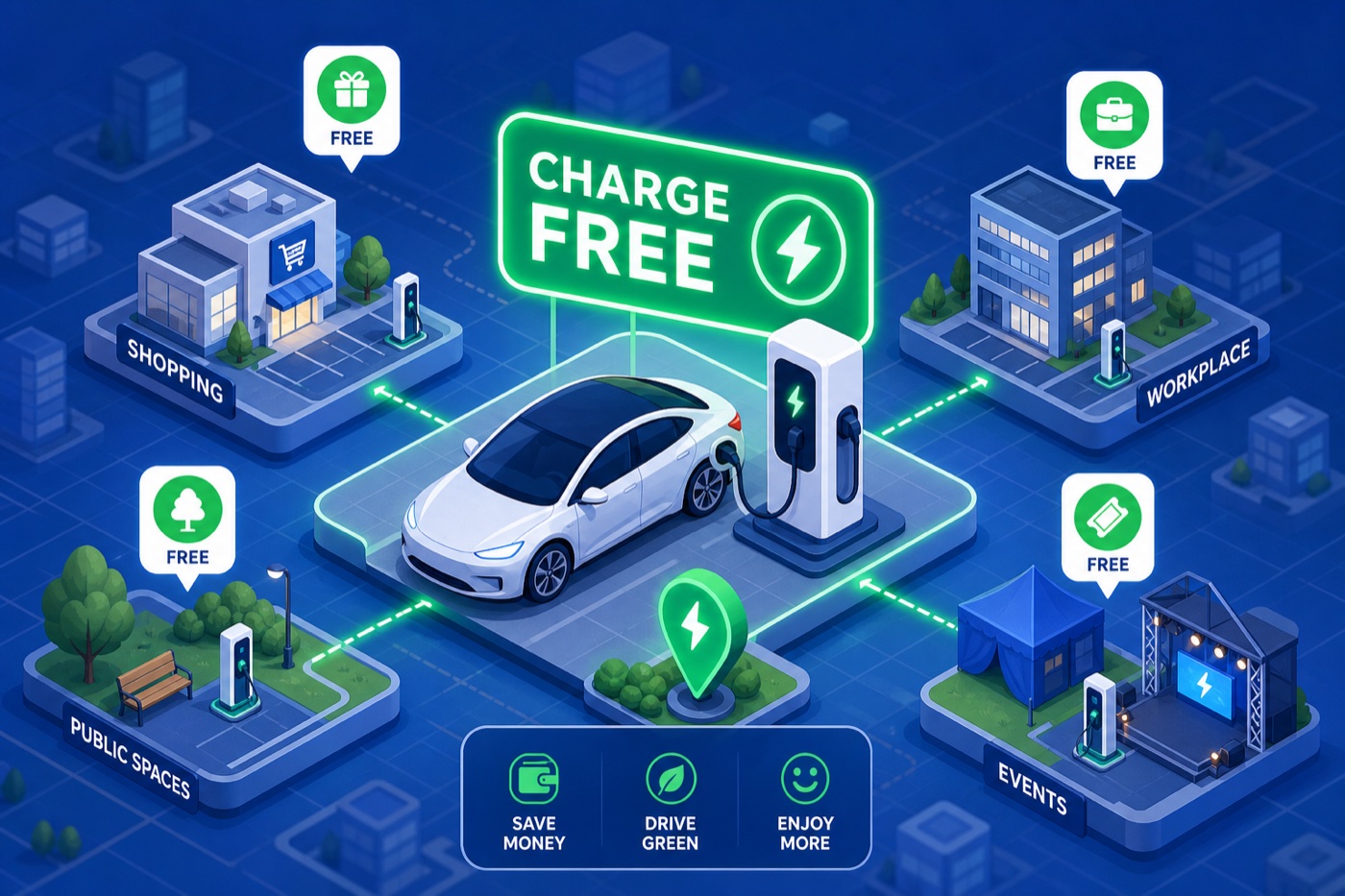
<h3 id="free-electric-car-charging-at-retailers-hotels-and-workplaces">Free electric car charging at retailers, hotels, and workplaces</h3>

<p>IKEA is one of the most widely cited examples in the U.S., with EV charging available at most domestic locations, though whether each site is free or paid varies, so verify via the AFDC or your preferred charging app before you go. Some Whole Foods and grocery stores have offered complimentary Level 2 stations in select markets, but availability shifts by location and operator, so check app listings for specifics. Mall parking with ChargePoint or Volta-managed stations has historically included free access, but the Volta network shifted away from its ad-supported free model after Shell’s 2023 acquisition, so confirm current status before counting on it.</p>

<p>The overall numbers are sobering. According to Consumer Reports, <strong>only about 1% of the roughly 270,000 retail and fast-food sites in the U.S. offer any EV charging at all</strong>, and free-only is a subset of that already small slice. Knowing which store categories to target, and verifying before you drive there, is the only reliable approach.</p>

<h3 id="hotels-workplaces-and-parking-garages">Hotels, workplaces, and parking garages</h3>

<p>Hotels along major travel corridors are a consistent source of complimentary Level 2 charging. Most list their stations in EV apps, and many offer free access to guests as a standard amenity. Employer-provided charging is still common and often completely free, especially at tech campuses and larger corporate offices. Public parking garages in metro areas sometimes include free chargers as part of smart city or utility-subsidized programs, and these spots go unnoticed because they don’t advertise loudly.</p>

<p>A parking garage two blocks from your office might have two free Level 2 stalls open all day. The only way to find out is to check.</p>

<h2 id="free-level-2-vs-free-dc-fast-charging-what-to-realistically-expect">Free Level 2 vs. free DC fast charging: what to realistically expect</h2>

<p>There’s a common misconception that “free charging” means fast charging. It almost never does. Understanding the split helps you plan around what’s actually available rather than what you wish were available.</p>

<h3 id="why-free-charging-is-almost-always-level-2">Why free charging is almost always Level 2</h3>

<p>Level 2 charging, which delivers roughly 3 to 19 kW and works best for stays of an hour or more, makes sense as a free perk because the electricity costs are manageable and the business keeps you on-site longer. Roughly 70% of U.S. public chargers are Level 2, and around 25 to 35% of those stations offer free access depending on location and operator. <strong>It’s the dominant tier for no-cost public charging by a wide margin.</strong></p>

<h3 id="when-free-dc-fast-charging-actually-exists">When free DC fast charging actually exists</h3>

<p>Free DC fast charging is genuinely rare, representing under 5% of fast chargers in the U.S. It shows up in a few specific situations: automaker partnership promotions with networks like Electrify America, utility-subsidized highway pilots in states like Washington and Oregon, and occasional trial periods at newer commercial hubs. Useful when it exists, but not reliable enough to build a charging strategy around.</p>

<h2 id="automaker-perks-and-utility-programs-worth-checking">Automaker perks and utility programs worth checking</h2>

<p>Before hunting for public free chargers, check whether your vehicle already came with complimentary charging access you haven’t activated. A lot of drivers skip this step entirely.</p>

<h3 id="checking-your-vehicles-charging-perks">Checking your vehicle’s charging perks</h3>

<p>Several automakers still bundle Electrify America credits with new purchases. BMW iX, i4, and i5 owners receive two years of 30-minute fast charging sessions. VW ID. model buyers get up to 500 kWh per month for three years. GM vehicles, including select Chevy and GMC models, come with up to 1,000 kWh over three years. Tesla’s legacy “free Supercharging for life” still applies to early Model S and Model X owners, though it’s tied to the original purchaser and doesn’t transfer. Check your vehicle’s ownership portal or the Electrify America app with your VIN to confirm what applies to your specific car.</p>

<p>These perks expire and carry restrictions. Most Electrify America sessions cap at 30 minutes and cut off at 85% state of charge at busy locations. Idle fees of $0.40 per minute kick in after a 10-minute grace period. Knowing the limits prevents bill shock when you expect a free session and get charged for staying too long.</p>

<h3 id="utility-and-regional-programs-to-look-up">Utility and regional programs to look up</h3>

<p>BGE (Baltimore Gas and Electric) in Maryland runs an EVsmart program that includes subsidized or free stations for customers. Similar utility-backed programs exist through LADWP in California, ConEd pilots in New York, and Xcel Energy in the mountain and plains states. These are regional by design and worth checking against your local utility’s EV page, especially if you live near major NEVI corridors like I-95 or I-5 where infrastructure investment has been highest.</p>

<h2 id="the-fastest-way-to-find-free-electric-car-charging-near-you">The fastest way to find free electric car charging near you</h2>

<p>Many drivers open a general EV charging map and scan manually for pricing information. That works, but it takes time and misses stations where pricing data isn’t consistently updated. A free-only filter cuts straight to what matters.</p>

<h3 id="using-a-free-only-filter-to-skip-the-guesswork">Using a free-only filter to skip the guesswork</h3>

<p><a href="https://wattsnear.com/">WattsNear’s</a> built-in free-only filter is a fast way to surface no-cost stations. It pulls live data from the DOE’s NREL Alternative Fueling Station database and shows complimentary stations nearby in seconds. No account creation, no personal data required. Toggle the free-only filter and see what’s available. For drivers who want community-verified status on top of database listings, <a href="https://company.plugshare.com/plugshare.html">PlugShare</a> adds user check-ins and reviews that help confirm whether a station listed as free is still actually free.</p>

<p>The combination of a reliable filter and recent user reviews eliminates most wasted detours. Free status changes — a station that was complimentary six months ago may have switched to a paid model since the last database update. Cross-referencing both sources takes thirty seconds and can save a twenty-minute detour.</p>

<h3 id="what-to-double-check-before-you-pull-in">What to double-check before you pull in</h3>

<p>Before routing to any free station, confirm the connector type matches your vehicle. A free CCS charger is worthless if your car uses NACS, and vice versa, and with the industry’s ongoing connector transition still underway in 2026, this is worth checking every time rather than assuming. Also review recent activity on that station: if the last user check-in was three months ago and shows it broken, that’s a red flag worth heeding. WattsNear lets you filter by connector type alongside the free-only toggle, so results stay relevant to your specific car from the start.</p>

<h2 id="what-to-know-before-you-plug-in-restrictions-and-etiquette">What to know before you plug in: restrictions and etiquette</h2>

<p>Free charging has more fine print than most drivers read, and ignoring it can cut your session short or generate fees on what you expected to be a no-cost stop.</p>

<h3 id="time-limits-idle-fees-and-kwh-caps">Time limits, idle fees, and kWh caps</h3>

<p>The most common restrictions on complimentary charging programs include 30-minute session caps on DC fast chargers and 85% state-of-charge cutoffs at high-traffic Electrify America locations. Retail Level 2 spots typically carry informal two- to four-hour limits, and some charge idle fees once your car stops drawing power. Promotional kWh allotments, like the 250 kWh over three years offered with some Hyundai models, deplete faster than most owners expect if they rely on them as a primary charging strategy.</p>

<p>Treat these perks as a supplement, not a foundation. Use them when you’re already stopping somewhere, not as the reason you’re going there.</p>

<h3 id="how-to-use-free-spots-without-being-that-driver">How to use free spots without being that driver</h3>

<p>Free public charging works better for everyone when people cycle through efficiently. Unplug as soon as your charge completes. Don’t occupy a free Level 2 spot as long-term parking if there’s a line. At retail locations, move your car once you’re done shopping, even if the time limit technically hasn’t expired. These habits keep spots functional and available, and in some municipalities, misuse of EV charging spaces carries fines that make a free charging session considerably less free.</p>

<h2 id="making-free-electric-car-charging-part-of-your-regular-routine">Making free electric car charging part of your regular routine</h2>

<p>Free electric car charging is real, accessible, and more useful than most drivers give it credit for once they know where to look and how to filter for it. Level 2 at retail stores, hotels, and workplaces covers most daily top-up needs. Automaker perks cover road trips for eligible owners. The gap between knowing free charging exists and actually finding it quickly comes down to using the right tool.</p>

<p><a href="https://wattsnear.com/">WattsNear</a> handles that part without a signup or subscription. Open it, filter for free stations, and see what’s near your current location or your next stop. It works from your iPhone home screen or your CarPlay display while you’re already on the road.</p>

<p>Start with your regular stops: the grocery store you already visit twice a week, the parking garage near your office, the hotel on your next road trip. Free EV charging stations are hiding in plain sight at most of those places. The trick is knowing how to surface them before you park, not after.</p>]]></content><author><name>Andrew Porzio</name></author><summary type="html"><![CDATA[]]></summary><media:thumbnail xmlns:media="http://search.yahoo.com/mrss/" url="https://wattsnear.com/assets/blog/free-electric-car-charging-where-to-find-it-in-2026.jpg" /><media:content medium="image" url="https://wattsnear.com/assets/blog/free-electric-car-charging-where-to-find-it-in-2026.jpg" xmlns:media="http://search.yahoo.com/mrss/" /></entry><entry><title type="html">Welcome to the WattsNear Blog</title><link href="https://wattsnear.com/blog/welcome-to-the-wattsnear-blog/" rel="alternate" type="text/html" title="Welcome to the WattsNear Blog" /><published>2026-05-12T10:00:00+00:00</published><updated>2026-05-12T10:00:00+00:00</updated><id>https://wattsnear.com/blog/welcome-to-the-wattsnear-blog</id><content type="html" xml:base="https://wattsnear.com/blog/welcome-to-the-wattsnear-blog/"><![CDATA[<p>This is the first post on the WattsNear blog. The plan: roughly one practical, no-fluff post per week, focused on the questions EV drivers actually ask in the wild.</p>

<h2 id="what-youll-find-here">What you’ll find here</h2>

<ul>
  <li><strong>City-by-city cheapest-charger roundups.</strong> Where the actual cheap public charging is in Austin, Denver, Phoenix, the Bay Area, Atlanta, NYC, and the other top US metros — pulled live from the U.S. Department of Energy’s NREL data.</li>
  <li><strong>Trip-planning guides.</strong> Real-world range math for common EVs on common road trips. What WattsNear’s trip-range calculator gets you, and where you still have to plug in your own judgment.</li>
  <li><strong>EV-charging explainers.</strong> What NACS vs. CCS vs. CHAdeMO actually means for your car. How to read NREL’s pricing strings. When “free” charging is actually free and when it’s a bait.</li>
  <li><strong>WattsNear feature deep-dives.</strong> New tabs, widget tips, Siri shortcuts you didn’t know existed, CarPlay tricks for road trips.</li>
</ul>

<h2 id="what-you-wont-find-here">What you won’t find here</h2>

<ul>
  <li>Sponsored posts. No charging network paid for placement here, and none ever will.</li>
  <li>Affiliate links. We don’t take cuts on EVSE purchases or charger-network subscriptions.</li>
  <li>Tracking. The blog inherits the same privacy posture as the app: no analytics SDKs, no cross-site tracking pixels, no third-party scripts at all.</li>
</ul>

<p>If you want the next post the moment it ships, the <a href="/feed.xml">RSS feed lives here</a>. Otherwise check back about once a week.</p>

<p>— Andrew</p>]]></content><author><name>Andrew Porzio</name></author><summary type="html"><![CDATA[This is the first post on the WattsNear blog. The plan: roughly one practical, no-fluff post per week, focused on the questions EV drivers actually ask in the wild.]]></summary></entry></feed>